Posted by Nick Sieger
Sat, 21 Oct 2006 02:51:38 GMT
What is Fuzzing?
- Throw random stuff at an app until it breaks, with maliciously crafted inputs. It’s the randomness, stupid.
- Creating a model for an attack
- Sampling, survival analysis and mean-time-between-failures (MTBF)
Limitations
- Shallow -- errors come right away, but then few and far between
- Not smart
- Not always needed
Disadvantages
- Destructive -- don’t do it against your production system!
- Potentially expensive
Advantages
- Fun making developers go insane
- Finds bugs even in closed source software
- Easy to do when you have the right tools
- Excellent for regression/load/DDOS/pen testing
- Large existing base of tools (links from Zed’s site)
Demo/Usage
- Designed to be a simple data container for all the HTTP objects, so you can easily store and replay requests
- Randomness engine (RC4 cipher) generates random bytes, numbers, chars, base64, etc.
- Data collection (ten runs of ten samples, spits out .csv files)
- Session management (dump cookie management)
- Rails security test (see also my post on this subject)
- Chunked encoding test
- Mongrel test suite -- test GET vs. PUT to see if there is any difference in performance between the two methods
Other Ideas
- Random ruby scripts from a grammar
- Automatic random AR fixtures
- Thrash functions for unit tests
- Random thrashing of other protocols
- Release RFuzz’s HTTP client separately as an alternative to
net/http
- Hpricot and RWB inclusion
- Utu -- HCI research to see if it’s possible to measure how programmers interact
Tags rubyconf, rubyconf2006 | no comments | no trackbacks
Posted by Nick Sieger
Fri, 20 Oct 2006 20:18:00 GMT
Geoff Grosenbach is waxing on pagefuls of numbers condensed into a small, tidy graph that increases the amount of information you can communicate on a page.
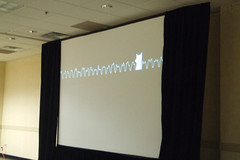
The cartoon fox makes his second appearance of the day in one of Geoff’s sparklines
It is in our hands, the hands of the programmer, to show designers what the range of visual representation capabilities are.
Libraries
- Scruffy -- SVG graphs, no dependencies (i.e., RMagick)
- GNUPlot -- the old standby
- MRPlot -- scientific plots
- PNG -- line and font drawing in pure ruby from Seattle.rb
- Gruff -- depends on RMagick
- Sparklines -- depends on RMagick
- [Ploticus and RRD were mentioned during the talk as well]
Applications
- Automatically generating image mastheads with a font mask, a gradient and a cloud image showing through the mask
- UrbanDrinks.com -- plotting bars on a timeline showing happy hours in Portland
- “Scene graph” -- rendering multiple layers of images/icons on the filesystem into a composite graphics “scene”
- BillMonk.com -- rendered image with multiple components that allows you to circumvent cross-site or crippled javascript issues
- In a Rails controller:
- Generate and cache (with
caches_page) an image with text
- Register a new mime type and use
responds_to {|type| type.jpg { ... } }
- Requisite reference to Edward Tufte
Techniques
- Comparisons -- show two competing trendlines on a graph
- Multivariate analysis -- stockhive.com stock chart rendering
- Content is king -- be judicious
Posted in ruby | Tags rubyconf, rubyconf2006 | no comments | no trackbacks
Posted by Nick Sieger
Fri, 20 Oct 2006 19:07:00 GMT
Update: Evan has posted code and has a page set up for the project.
Evan Phoenix (nee Webb), of Seattle.rb, is presenting on Sydney and Rubinius, an experiment in improving the ruby interpreter. Sydney has died, and Rubinius has risen from its ashes, appropriately.
Why
- Why would you write a new Ruby interpreter? It’s fun, it’s a good challenge.
- What’s wrong with the existing interpreter -- are you hating on Matz? Of course not.
Today’s Ruby interpreter is like a big dump truck -- sometimes a little slow, but it works for us. YARV is like the red, shiny fire truck.
Both big and complex. Rubinius, by comparison, is like a dune buggy. Fast, light, but you’re going to get sand in your eyes if you drive
it a lot.
The project, admittedly, is naive.
- Simple architecture and implementation.
- As little background magic as possible
- No opaque C backend
- Leverage axiom of simple == powerful
- Less magic means more introspection
- More control for the developer
- Richer introspection: Backtrace, MethodTable objects
What was Sydney?
- Giant patch to 1.8.2 that included reentrancy and thread-safety
- Turned out to be a major PITA
- CRuby uses a large number of C globals, references to which had to be tracked and fixed
Transition to Rubinius
- Ruby borrowed a lot from Smalltalk, so why not try an implementation based on the same concepts?
- Prototype A ported the blue-book implementation to Ruby
- It worked and validated the basic concept and approach
- Prototype B took ideas from A but implemented a bytecode interpreter and compiler. Used RubyInline to access raw memory operations.
- At this time the goal emerged to have a translator which could take a prototype and bootstrap itself into C code.
- Prototype S was a manual translation of Prototype B into C code to make the implementation quicker.
- Prototype W was created to translate parts of Prototype B so that there is a maintainable core in Ruby code itself.
Questions
Q. Since you were starting over, could you use a platform-independent library to ease the process, such as APR? Yes -- currently using String and PointerArray from glib.
Q. How is performance? Too early to tell -- I hope to know by the end of the conference. Prototype S became runnable and usable on the plane here.
Q. Can you clarify the goal? To create a Ruby interpreter in Ruby that can translate itself out into a C interpreter.
Q. Have you figured out how to link in external libraries in a platform independent way? No. My hope is that the decision will be made to write a common framework for translating to system calls, e.g., SWT.
Q. Have you looked at PyPy? (similar project for Python) Yes, and it’s f-in complicated. It worries me actually.
Q. Could you have it generate backend code in another language/platform (Java bytecode, CLR)? Yes, I certainly hope so, otherwise I’m wasting my time.
Q. How will you add native thread support in a cross-platform way? I hope I won’t have to, by leveraging external tools.
Q. If you’re building a Ruby-to-C translator, why write a Ruby interpreter at all? If I didn’t, what would I translate? You still need some core engine to translate. Would it be a subset of Ruby? Yes.
Q. Looks very similar to Squeak, have you looked at Squeak code and talked to Squeak people? Looked at code a lot, I’ve really stolen all of their ideas. I haven’t talked to the folks yet because I’m afraid they might laugh at me.
Resulting Works
- SydneyParser: Used parser from Sydney and stole ParseTree’s algorithm for generating a sexp that represents the Ruby code.
- SegfaultProtection: detects a segfault in an extension, saves the Ruby interpreter, and raises a memory fault exception instead.
The Nitty Gritty (Red Pill)
- All components separated by APIs for swappability
- Garbage collector: baker two-space copy collector, and a train GC
- Bytecode interpreter: small set of instructions driven by tests and need, so there are no extraneous operations
- Compiler: written completely in Ruby, using ParseTree and SexpProcessor. Intended to compile itself to be used as a base compiler for Prototype S.
Future
- Other backends -- Java, Smalltalk
More questions
Q. Worried about fragmentation? Yes, but I really want to make it as compatible as possible with the current interpreter.
Q. Rubinius bytecode compatibile with YARV? No, but I hope to be able to write a bridge to YARV in Rubinius.
Q. Have you looked at Valgrind for the C code? Yes, I have. Good possibility for future direction.
Q. Can you demo some code? They’re incredibly boring. “Look I got a MethodTable object, I asked for one.”
Posted in ruby | Tags ruby, rubyconf, rubyconf2006 | 5 comments | no trackbacks
Posted by Nick Sieger
Fri, 20 Oct 2006 19:06:00 GMT
Takahashi-san is here to present on the history of Ruby, an apparently thankless task, because none of the other original Rubyists are
historians. Takahashi is the co-author of two Japanese books on Ruby, Enjoy Ruby and Ruby Recipe Book. He also has the “Takahashi
method” of presentation named after him. His talk presented an informative timeline of Ruby, the details of which were a bit tricky to
capture. If I transcribed anything erroneously, please let me know.
Pre-history age
- Born 24th of February 1993. Without code!
- Matz and Keiju-san proposed the name first.
- Thus one of the philosophies of Ruby came to be -- that the name of things matters. Matz: “I guess Ruby is cool”. Keiju: “I also like
coral”. Matz: “oops”.
Ancient age
- Ruby is in public -- release 21 December 1995 -- ruby-0.95.
- ruby-list ML was launched. First mail: ruby-0.95 test failed. Subsequently 3 versions of Ruby were released in two days.
- No CVS repository at the time. Anonymous CVS was to come in 1999.
- 25 December 1996 -- Ruby 1.0 released.
- 1 July 1997: Matz announces that Netlab hired him to be a full-time Ruby developer.
- 22 Septempber 1997: an article was published on Ruby -- the first article on the web about Ruby.
- 15 May 1998: RAA launched, maintained manually by Matz.
- 7 December 1998: Ruby home page was in English, but very simple.
Middle
- Ruby is spreading in Japan during this time. The community is growing around Japanese programming language designers and programmers
who do not understand English. Finally they have a tool that they can embrace and establish their own opinions and choices.
- 27 October 1999: Matz and Keiju’s book is published, the first Ruby book
- More Ruby books would follow in 2001-2002 (~20 books -- a bubble). But the bubble popped in 2003.
- 4 November 1999: Ruby workshop
- There were some Perl and Ruby/Perl conferences during this time also.
- 26 May 2001: YARPC -- Yet Another Ruby and Perl Conference
- 9 August 2003: Lightweight language (LL) -- lightweight language workshop (LL Saturday) in 2003. PHP, Perl, Ruby and Python were
present. LL Weekend, LL Day and Night, and LL Ring would follow in 2004-2006.
- LL Ring: 300 attendees talking about LLs in a real boxing ring.
Modern
- Ruby spreads outside of Japan
- 16 Feb 2002 -- ruby-talk ML surpasses ruby-list ML.
- ruby-talk was started in December of 1998, but the first posts are almost all Japanese authors writing in English.
- SunWorld in Februrary 1999 has an article entitled “New choices for scripting” including Ruby.
- February 2000: IBM Developerworks article on the “latest open source gem from Japan”.
- InformIT article by Matz also in 2000.
- 15 December 2001: Programming Ruby by the Pragprogs (1st edition of the Pickaxe).
- RubyConf.new(2001)
- Ruby Kaigi -- first Japanese Ruby conference didn’t happen until 2006, it turns out only because of a dinner of Japanese rubyists at
RubyConf 2005 decided that it would be fun.
Contemporary
- Rails age -- the killer application for Ruby
- We all know what happened, so we’ll skip this part.
Posted in ruby | Tags rubyconf, rubyconf2006 | 2 comments | no trackbacks
Posted by Nick Sieger
Fri, 20 Oct 2006 19:04:00 GMT
The RubyConf room is filling up this morning. I’ll be doing my best to live-blog the conference here so stay tuned!


Posted in ruby | Tags ruby, rubyconf, rubyconf2006 | no comments | no trackbacks
Posted by Nick Sieger
Fri, 13 Oct 2006 03:20:00 GMT
My name is Nick Sieger, and I’m an Emacs-o-holic. I’ve been using Emacs for over a decade, and my .emacs file alone (excluding
custom elisp packages) has accumulated 125KB of cruft. Basic navigation keystrokes are beyond ingrained into my fingers, they’re
automatic. I was pleased when I found Jacob Rus’ explanation of the Cocoa text system and accompanying instructions for baking
these commands into the basic OS X text widget; now getting around Cocoa text widgets is a breeze.
Emacs, in a way, has a reputation for being something like the Spruce Goose of computer programming tools. Some view it as the
pinnacle of achievement in text editing tools; a piece of art; the most extensible piece of software ever written. On the other hand, the
learning curve is considered to be much steeper, and Emacs hasn’t changed visually very much over the years, sticking to a minimalist interface that doesn’t dazzle like tabby, tree-widgety, multi-paneled IDEs.
So it seems that I’m going to be continually comparing TextMate to Emacs; perhaps a subject worth expounding upon. As I ramp up on TextMate, maybe these findings and tips will become useful for anyone, Emacs user or not.
Things to like about TextMate
The “project” system is simple but elegant in its conception. Open a directory, and it becomes your workspace. Navigate to any file
quickly with ⌘-T. I always wanted something like this in Emacs and considered writing one at one point.
Visually appealing. Renders fonts well, beautiful built-in color schemes, strong syntax-highlighting. The multiple, nested context
highlighting is well done. At the same time, the UI is minimalist enough that you’re not distracted by gratuitous toolbars full of icons
that you constantly have to hover for the tooltip to remember what they do.
Feels right. The app blends in well with the OS X user interface, and shares its philosophical underpinnings of simplicity and
least surprise.
Broad language support. Many popular languages supported out of the box (notable exception: C# -- I wonder why), and if you get
subversion bundles, many less common ones, e.g., Io, Lua, or OCaml (note to self: none of which I have had the chance to explore yet).
Community support and innovation. Seeing the buzz in the community around TextMate is strong evidence that it’s spurring some
innovation, a fresh approach, in a category of software that hasn’t seen much for quite some time.
Emacs-isms I miss (or haven’t found yet) in TextMate
Text selection while staying on the home row. Setting the mark (C-SPC) and moving the cursor to select a region of text. I don’t
like moving my right hand over to the arrow keys to make a selection! This is my number one new feature wish for TextMate.
Buffer selection with C-x b or C-x C-b to quickly jump to an already-open file. ⌘-T replaces this to some extent, but it’s
not the same and requires some retraining. Update: ⌘-T RET is equivalent to C-x b. Good enough. One thing I have discovered
that I like quite a bit is the ability to scroll through the buffer/file-selection box with C-n and C-p.
back-to-indentation. This is an emacs command that moves the cursor in front of the first non-whitespace character on the line and is
bound to M-m by default. This keystroke is apparently one that I use frequently, because my fingers keep typing ⌘-M which has
the effect of minimizing the current window in TextMate. Ack.
open-line in Emacs is bound to C-o, which inserts a new line where the cursor is but leaves the cursor before it. The exact same
command is in TextMate, and is bound to the same key. Sweet! But apparently my fingers are trained on a variation: split-line, bound
to C-M-o. This is similar to open-line except that it moves any text to the right of the cursor vertically down. When you’re sitting
at the first non-whitespace character on a line and you split it, it has the effect of creating a new line directly above the current
one, leaving you at the same indentation level. Yes, C-a C-o TAB pretty much does the same thing, but it’s three keystrokes instead of
one.
hippie-expand is a powerful, extensible multi-completion mechanism that is hard to live without. TextMate’s ⎋ completion seems
roughly equivalent to Emacs’ dabbrev-expand, but hippie can expand similar words and lines from all open buffers, making the
completion that much more powerful and context-aware.
recenter (C-l). Puts the current line in the middle of the window, unconditionally. TextMate doesn’t appear to let you scroll the
contents of the window such that the last line in the buffer is any higher than the bottom of the window. I prefer to have the line of
code I’m editing closer to the center of the window.
string-rectangle. This versatile command allows you to replace each line in a rectangular selection with a prompted string value.
Great for adding a column of tab characters, commas or other formatting to a group of similar lines. Update: I found the TextMate
equivalent for this one. It turns out TextMate has a great rectangular editing facility, simply by starting a selection, tapping
⌥, and continuing. Typing while the rectangle is active inserts new text in the same manner as string-rectangle. Excellent.
What else have you found about TextMate that reminds you of Emacs or helps you get over it?
To be continued!
Posted in programming | Tags emacs, textediting, textmate | 14 comments | no trackbacks
Posted by Nick Sieger
Wed, 13 Sep 2006 20:35:00 GMT
Update: (2 months later) If you’re reading this, you’re probably interested in my Rails plugin for this instead.
Hot off the presses, after a few hours of hacking and tweaking, may I present Auto+RSpec, otherwise known as The Mashup of RSpec on Rails and autotest. This is not an official release of any sort, but “may work for you.” It’s not a clean hack, as it exposes some areas for autotest to grow if the maintainers decide to open it up to alternatives to Test::Unit. After spending a little time looking at the autotest code, I think it would be nice to allow hooks for autotest plugins to define project conventions (i.e., @exceptions and the #tests_for_file method) as well as a result parsing API.
For now, if you’re an RSpec on Rails user, you can try this out as follows:
- Install ZenTest if you haven’t already:
sudo gem install ZenTest.
- Download rspec_autotest.rb and put in your
vendor/plugins/rspec/lib directory (you did say you’re using RSpec on Rails didn’t you?)
- Download rspec_autotest.rake and put in your
lib/tasks directory
- Start
autotest with rake by typing rake spec:autotest
- Note: if you’re using RSpec 0.6, you might have better success with the files located here.
Next steps for this will be to work out whether this code should live in RSpec on Rails or autotest, or some combination of those.
Now, spec’ers, be off in search of that Red/Green/Refactor rhythm of which sage agilists speak!
Bonus tip: add the following code to your .autotest file to run spec with rcov:
Autotest.add_hook :initialize do |at|
if at.respond_to? :spec_command
at.spec_command = %{rcov --exclude "lib/spec/.*" -Ilib --rails "/usr/lib/ruby/gems/1.8/gems/rspec-0.6.0/bin/spec" -- --diff}
end
end
Posted in testing, ruby, rails | Tags autotest, rspec, ruby, testing | 8 comments | no trackbacks
Posted by Nick Sieger
Fri, 08 Sep 2006 15:11:00 GMT
The noise is deafening by now, but I’m feeling the desire to chime in publicly with my congratulations and support for Charlie and Tom. JRuby has come a long way in the past six months, and this is strong validation of that fact.
As I hinted back in May, this is getting big, and it’s been a pleasure to have been on the JRuby train! The future is bright for Ruby and Java the platform, and JRuby is leading the way.
Posted in ruby, java | Tags jruby | no comments | no trackbacks
Posted by Nick Sieger
Wed, 06 Sep 2006 20:16:00 GMT
Tim Bray:
Today I needed to know the class hierarchy under Exception, and
maybe it’s there online but I couldn’t find it. Blecch. Hint:
Pickaxe, 2nd ed., page 462.
Well, you could always use Ruby itself, too, that way you’ll always have an up-to-date list:
exceptions = []
tree = {}
ObjectSpace.each_object(Class) do |cls|
next unless cls.ancestors.include? Exception
next if exceptions.include? cls
next if cls.superclass == SystemCallError
exceptions << cls
cls.ancestors.delete_if {|e| [Object, Kernel].include? e }.reverse.inject(tree) {|memo,cls| memo[cls] ||= {}}
end
indent = 0
tree_printer = Proc.new do |t|
t.keys.sort { |c1,c2| c1.name <=> c2.name }.each do |k|
space = (' ' * indent); space ||= ''
puts space + k.to_s
indent += 2; tree_printer.call t[k]; indent -= 2
end
end
tree_printer.call tree
Exception
 NoMemoryError
 ScriptError
   LoadError
   NotImplementedError
   SyntaxError
 SignalException
   Interrupt
 StandardError
   ArgumentError
   IOError
     EOFError
   IndexError
   LocalJumpError
   NameError
     NoMethodError
   RangeError
     FloatDomainError
   RegexpError
   RuntimeError
   SecurityError
   SystemCallError
   SystemStackError
   ThreadError
   TypeError
   ZeroDivisionError
 SystemExit
 fatal
Results also entered into cheat; sudo gem install cheat --source require.errtheblog.com; cheat exceptions
for future reference.
Posted in ruby | Tags exceptions | 3 comments | no trackbacks
Posted by Nick Sieger
Tue, 15 Aug 2006 04:12:00 GMT
What was the biggest security threat story for me last week? No, it
was not the disrupted liquid bomb plot, it was the Rails
security hole that caused quite a brouhaha among the Ruby
community. (Guess that shows my increasing tendency to lose touch
with reality. Maybe a sign of the miserable state of unrest in the
world and how living in the land of the world’s only super-power makes
it easy to turn the other cheek? Or...ok, ok...it’s just me.)
From my view of the Rails security issue, there are actually quite a
few interesting angles that came out of this story.
Rails is Growing Up
This is the obvious one. The first major fault to be discovered in
Rails shows that Rails the codebase, Rails the core team, Rails the
technology stack, and Rails the community is going through growing
pains. David was both praised and criticized widely for his handling
of the disclosure. Many rightly complained that the initial
announcement didn’t give system maintainers enough information to
decide whether the risk warranted disrupting normal operations to
spend time to test and roll out the patch. This was compounded by the
fact that the initial announcement did not identify versions affected
and instead assumed all past versions, which turned out not to be the
case.
Others thanked the Rails team for their discretion and trusted the
recommendation despite the fuzziness and lack of details. These folks
either were able to perform the upgrade much more easily or had some
inkling of just how serious the issue was.
The aftermath showed that the Rails core quickly learned from the
experience. A security mailing list and google group were
set up for future incidents and David promised to apply more rigor
and policy to future announcements.
It seems pretty obvious that the size of the gaffe was such that to
expose the details immediately would have had way too much potential
to cause widespread data loss and denial of service. In fact, the
nature of the bug strikes me as one of those embarrassing bugs that
every software developer commits at one point in their coding life
where you amaze yourself at the short-sightedness of your
implementation. I think the initial message could have been
dispatched with information on the severity of the threat without
necessarily disclosing the exact exploit. So, essentially I agree
with the approach that was taken, but the message left out details
required to evaluate the threat.
Threat Analysis
Two early blog posts came out the day after
claiming to know the details of the exploit. It turned out that they
didn’t quite understand what was afoot. (Although Evan Weaver has
since updated his post to clarify his original analysis.)
The threat turned out to be a simple remote code execution issue. The
:controller dynamic expansion aspect of routing contained a bug that
allowed arbitrary .rb files in a Rails application to be executed
undesirably. By far the most dramatic consequence would be
experienced if one’s db/schema.rb file were to be executed with a
request for /db/schema, causing your entire database contents to be
dropped and reloaded.
By examining the safe_load_paths method defined in affected
versions, it appears that the implementation tried to limit elements
of the load path that matched the expanded RAILS_ROOT of the
application. Combine this with the fact that other elements of the
routing system eagerly require‘d files with inadequate
bounds-checking spells your recipe for disaster.
Many posters and commenters quipped that a simple svn diff was
enough to give script kiddies or other black hats the information
needed to exploit the issue. Or was it? Given that the two early
analyses turned out to be off the mark, were people in the know
exercising more discretion by not disclosing more details?
Personally, I spent more than an hour staring at the affected routing
code trying to untangle the various metaprogramming tricks and regular
expressions that make up the Rails routing system. And I consider
myself fairly adept at reading and understanding code!
The truth of the matter is that, unless you’re a member of core or
have a high level of familiarity and involvement with the Rails
codebase, the svn diffs provide far too little context to decode the
actual problem.
Does this speak to the obfuscated nature of the Rails codebase or to
the relatively advanced nature of web programming in Ruby? If I had
to pick one, it would be the latter, but I’m leaning towards neither.
The Rails codebase is not the most readable, comprehensible piece of
code I’ve ever seen, but it does its job remarkably well. Perhaps if
the routing code in question was a bit more understandable by the
masses, this rather obvious security issue wouldn’t have gone
undetected for so long.
Post-1.1.6 Release Triage
A group of enthusiastic Railsers jumped onto #rails-security on
freenode shortly after the 1.1.6 release, where an effort had been
organized to verify all the patches across various combinations of
web servers and Rails versions. An IRC channel, a wiki,
Ruby, Zed’s RFuzz, and a piece of code were all the
tools required to get a distributed test verification process up and
running. This sort of thing happens all the time in the open source
world, with programmers around the globe pitching in to raise the
triage tent of the MASH unit. Still, it was exciting to see and be a
part of the action and to be reminded of the power of the collective
whole working for a common cause.
Dynamic Routing Harmful?
Rails’s dynamic routing code came under fire too, understandably so.
Maybe this is one case where the developer-friendly approach of
magically recognizing URLs goes a little too far? Production-only
routes that do away with the expandable path elements could easily be
generated by visiting all the controllers in the codebase and
generating a more static route for each -- sounds like a good idea for
a plugin. Perhaps the controller is the better place to store routing
metadata anyway?
class UsersController < ActionController::Base
map_default_route
end
class PostsController < ActionController::Base
map_route_as_resource
end
Sounds like good fodder for future investigation!
Posted in ruby, rails | Tags rails, security | no comments | no trackbacks
